Showing posts with label Text Talk-Classroom Stories. Show all posts
Tuesday, April 10, 2012
Texting for Literacy!
Cell phones are a terrific tool to support student engagement and achievement in reading and writing. In fact, “Children who are heavy users of mobile phone text abbreviations... are unlikely to be problem spellers and readers, a new study funded by the British Academy has found. The research*, carried out on a sample of 8-12 year olds over an academic year, revealed that levels of “textism” use could even be used to predict reading ability and phonological awareness in each pupil by the end of the year.” (Plester & Wood, 2009). Also, “…a new study from California State University researchers has found that texting can improve teens’ writing in informal essays and many other writing assignments” (Miners, 2009). In this section we’ll explain how teachers doing just that by using cell phones in the way they are most commonly used among youth -- for texting and group texting.
Texting
Our students are reading and writing more than ever. In the 21st century, this reading and writing often takes place through the lightening fast thumbs of teens. Although some parents and teachers complain that text messaging is ruining the language, research is showing that it is, in fact, a benefit to students phonemic awareness, spelling, and use of words (Yarmey, 2011; Plester & Wood, 2008, Malson & Tarica, 2011; Fresco, 2005; Dunnewind, 2003; Miners, 2009; McCarroll, 2005; Elder, 2009). When we rethink and revision what is happening when our teens and tweens text, all sorts of learning possibilities emerge.
Ideas for the Classroom
Texting has become the shorthand of the 21st century. When writing first drafts, allow students to draft on their phone or laptop if they choose and use text abbreviations to get their thoughts down. Encouraging the quick, free flow of ideas in a format they prefer can help young writers capture, compile, and create new ideas. These can be translated as they edit and revise resulting in a final draft that is written in standard language.
Translate difficult passages of poetry, classic literature, or even content heavy textbook passages into textese in order to aid students interactions with the material and understanding. The result is great summaries.
Have students use texting to journal or answer each other’s discussion questions. When the audience changes to others then their peers, have them use standard English, which educates about writing for a particular audience.
Text Talk: Biology
"I never see this with hands," is not an uncommon response when teachers see all the text messages received when asking students to text in answers like meanings of words, phrases, concepts, intent, etc. Texting has increased student's confidence and allowed them to participate without embarrassment.
Group Texting
Through the ease and time saving means of group texting, educators can connect with groups of students for many literacy activities such as vocabulary development, questions about assigned readings, polls, or summaries. Tools like Celly (http://cel.ly) provide a code for students to text in and become part of a group, no personal numbers are shared. All texts sent and received are documented on the website. This adds structure and documentation to communicating with students through the reading and writing of text messages.
Ideas for the Classroom
To encourage homework reading, a teacher sends out a critical thinking question to the students in the evening and reads their responses the next day (phone or computer) and records grades.
Put students in cooperative learning groups and have them interact and discuss questions through an open group chat. The teacher then reads the chats within the Celly site. The teacher gets to be a part of every group and every student has a voice.
Have students set up a Celly for themselves and use the @me feature for easily taking notes, writing questions, or making connections while reading at school or on the go.
Text Talk
Teachers know the benefits of cues and questions to activate prior knowledge, in school, however, class time is short. This can leave little time to cue students, ask questions, or discuss prior knowledge. Unfortunately, there is often little to no wait time. With the introduction of free group texting services, this can change. A teacher can group text for a cue or a question before school to morning classes and at lunch to afternoon classes. This can really help students come to class aware of the lesson content and ready to learn more while making learning time as efficient as possible.
References
Dunnewind, S. (2003, April 29). Generation text: Teens ‘IM lingo evolving into a hybrid language. Knight Ridder/Tribune News Service. Retrieved from http://community.seattletimes.nwsource.com/archive/?date=20030412&slug=immain12
Elder, J. (2009, October 27). Teachers putting texting to use. Charlotte Observer. Retrieved from www.newsobserver.com/2009/10/27/159701/teachers-putting-texting-to-use.html
Fresco, A. (2005, October 31). Texting teenagers are proving “more literate than ever before.” The Times. Retrieved from www.timesonline.co.uk/tol/life_and_style/education/article584810.ece
Malson, G. & Tarica, E. (2011). Textese gr8 training 4 poets of 2moro. Retrieved from http://www.stuff.co.nz/technology/digital-living/5606638/Textese-gr8-training-4-poets-of-2moro
McCarroll, C. (2005, March 11). Teens ready to prove text-messaging skills can score SAT points. Christian Science Monitor. Retrieved from www.csmonitor.com/2005/0311/p01s02-ussc.html
Miners, Z. (2009, October 29). Could texting be good for students? [Web log post] U.S. News. Retrieved from www.usnews.com/blogs/on-education/2009/10/29
Patton, G. (2010). Children 'more likely to own a mobile phone than a book'. Retrieved from http://www.telegraph.co.uk/education/educationnews/7763811/Children-more-likely-to-own-a-mobile-phone-than-a-book.html
Plester, B. & Wood, C. (2009). Exploring relationships between traditional and new media literacies: British preteen
texters at school. Retrieved from http://www.britac.ac.uk/news/news.cfm/newsid/14
Yarmey, K. (2011). Student information literacy in the mobile environment. Education Quarterly. Vol 34 No.1. Retrieved from http://www.educause.edu/EDUCAUSE+Quarterly/EDUCAUSEQuarterlyMagazineVolum/StudentInformationLiteracyinth/225860
Wednesday, March 28, 2012
Oral Stories with Voki
Using digital avatars in programs like Voki http://www.voki.com enable students to call into with a code on their phones and use their voice for the avatar. Students of all ages enjoy creating their character and watching it speak with their voice. Voki allows students to re-record by calling in as many times as needed to get their report just right. Students can also comment on one another’s avatar with their own original Voki, which is a great way to give peer feedback.
- Ideas for the Classroom
- When students are experiencing writer’s block, have them call in and say it through their voki. This gets them started and a great oral (and/or written) report results.
- Use Voki for public speaking practice. By saying their speech in the privacy of their own home into their phone, they gain valuable practice and get to listen to themselves for feedback. Speeches are rehearsed and memorized through Voki.
- Storytelling benefits both the listener and the teller. Use voki to pair middle school students with elementary students for storytelling, without ever leaving the classroom (or home). As middle school students tell stories they are creating, acting, and engaging with language. As younger students hear the story and comment they are tuning their listening and thinking skills.
- Text Talk: Classroom Stories Brandy Sparks, Health TeacherMy students could not write their experiences with trying to quit smoking. They just didn't know what to say. However, when I had them call in and talk on their phones, they could tell all about how hard it was, how they did it, and how much better they feel. They never would have read each other’s work, but they loved listening to each other’s vokis. The Vokis were used by the American Lung Association as testimonials from students who quit.
For more information on using Voki check out Teaching Generation Text. For more on Willy's experiences with the the NOT on Tobacco program contact Willyn Webb wwebb@deltaschools.com or to get your own group going contact Diane Draper at draper@lungcolorado.org.
Wednesday, February 29, 2012
Make Texting a Positive in School with Celly guest post by Melissa Seideman
I am a huge fan of using cell phones in the classroom as long as students use them properly and know their limitations. Over the last few years my favorite mass keyword texting app has shutdown (TXTblaster). As a result I have been looking for new FREE resources that would allow people to “opt in” and subscribe to my mass text alerts (without me having to type in everyone’s phone number). I have finally found one that I really LOVE called Celly.
What is Celly?
Celly creates mini social networks called cells that connect you with people and topics that matter most to you. A cell can contain anybody with a cellphone, people from your existing social networks, or any web feed. The mission of Celly is to build a socially responsible and sustainable technology venture that transforms education and community with technology. They hope to empower communities and schools. They are changing the face of education!
Application
I created a group for each of my two classes to serve as a reminder for assignments. I also created a cell group for my club. The security settings for the club is “open” so that any member in the club can text the club. My class is a “closed” cell, meaning that I am the only one who can text the entire class. My students can text me if they have a question. The best part is they do not have my real cell number and it is a controlled environment in that Celly keeps a record of every message placed. It is defiantly on my top ten list of FREE applications to try this school year.
What is Celly?
Celly creates mini social networks called cells that connect you with people and topics that matter most to you. A cell can contain anybody with a cellphone, people from your existing social networks, or any web feed. The mission of Celly is to build a socially responsible and sustainable technology venture that transforms education and community with technology. They hope to empower communities and schools. They are changing the face of education!
Application
I created a group for each of my two classes to serve as a reminder for assignments. I also created a cell group for my club. The security settings for the club is “open” so that any member in the club can text the club. My class is a “closed” cell, meaning that I am the only one who can text the entire class. My students can text me if they have a question. The best part is they do not have my real cell number and it is a controlled environment in that Celly keeps a record of every message placed. It is defiantly on my top ten list of FREE applications to try this school year.
Monday, January 9, 2012
Start Out Simple-One Idea for Using Phones in Class
Idea #1-Have students use their phones to take pictures of important information on the board.
Text Talk: (by Joyce Long, an educator in Colorado)
In my classroom I see cell phones as a time saver and tool of engagement rather than a distraction. For example, in my health class we were on a roll discussing the possibilities of making our own anti-alcohol/tobacco video, improving on the one we had just watched. The students were excited, motivated, and full of ideas. I knew they needed to get the ideas off of the board down before they left. I didn't want to stop their thinking. So, I waited until the last second and then asked them to get out their phones and take a picture of the board. For the ones without phones I posted the photo to the class website and printed out a picture for those without computer access. This allowed us to continue the brainstorm while on a roll, right up to the last seconds of class time. In the past I would have had to stop the storm so that everyone would have time to write down what was on the board, or ask them to write as we go, constantly interrupting the flow of ideas. Now the ideas will be at home too, ready to look at and text adaptations, new ideas, specifics, details, etc. The kids who were absent go the picture texted to them and came back ready to go the next day. Creative energy is such a powerful force. Having cell phones as a tool to increase the energy simply aids great educational experiences.
Text Talk: (by Joyce Long, an educator in Colorado)
In my classroom I see cell phones as a time saver and tool of engagement rather than a distraction. For example, in my health class we were on a roll discussing the possibilities of making our own anti-alcohol/tobacco video, improving on the one we had just watched. The students were excited, motivated, and full of ideas. I knew they needed to get the ideas off of the board down before they left. I didn't want to stop their thinking. So, I waited until the last second and then asked them to get out their phones and take a picture of the board. For the ones without phones I posted the photo to the class website and printed out a picture for those without computer access. This allowed us to continue the brainstorm while on a roll, right up to the last seconds of class time. In the past I would have had to stop the storm so that everyone would have time to write down what was on the board, or ask them to write as we go, constantly interrupting the flow of ideas. Now the ideas will be at home too, ready to look at and text adaptations, new ideas, specifics, details, etc. The kids who were absent go the picture texted to them and came back ready to go the next day. Creative energy is such a powerful force. Having cell phones as a tool to increase the energy simply aids great educational experiences.
Monday, January 2, 2012
Experts are Everywhere
Text Talk: Classroom Stories
My 6th grade girls were just not getting the meaning of the word purpose so I asked them to text someone they knew and have them explain the meaning of purpose. They were very excited and it felt contest-like. We continued our lesson and as the responses came back, the girls shared. The discussion became more enlightening and similarities and differences in the responses were noted. Everyone learned, not only the meaning of purpose, but a new learning skill.
As educators it is our duty not to ban cell phones, but to TEACH students that cell phones are a link, not only to an active social life, but to a world of experts. Tools such as Google SMS, ChaCha, and Twitter provide students instant access to a world of experts while just the phone and some good contacts connect students to their own personal learning network of past teachers, relatives, and friends. If we could just embrace cell phones for the tool that they are, students will never have an excuse for getting stuck on their homework again. Empower your students with their cell phones and the experts that are everywhere today! Banned or not, this can be done. For more information on how to do this see the 5 Step Plan for Harnessing the Power of Cells in Ed (even when they are banned) in Teaching Generation Text.
Tuesday, December 6, 2011
3 Ways to Use Cell Phones for Special Needs
Cell phones open a new world of tools that can be accessed and used for adaptations required by students with special needs. Simple voice mail messages using Google Voice, texting, WeTxt notes, pictures to Flickr, Voki, GoogleSMS translator and any other tool depending on the phone are ways to assist students orally, visually, physically without any negative stigma. Students love their phones. They are an acceptable, even cool, device offering a variety of input and output capabilities. Students and staff are already familiar with cell phone functions and how to use them. This is adaptive aid with little or no cost to the school. Not only for school use, but outside of school and into the world of work, cell phones can be used by students to serve special needs. Here are 3 ways to support special needs with cell phones!
1. Classroom Story-Texting Gerald is a twenty year old student with cerbral palsy and hearing loss. Gerald has a reading and math level of 5th grade. With one arm not fully functional, he is allowed to use a word processor or scribe as needed. He does not want either one of those options. He was down to only needing to finish his Civics class to graduate, but he was stalling out and not making any progress. He was in my counseling office continually upset over social issues, many of which involved text messages back and forth with peers. I watched a couple of texts get sent while I took a phone call and he waited. I realized that he could text one handed at an amazing speed. So I talked to his Civics instructor and got it approved that he text in the answers to the review questions at the end of each chapter. This resulted in an amazing transformation. Gerald's depressed state became positive, hopeful and outgoing. His progress through the remainder of the Civics class was steady. He was able to complete the class on time and graduate, all thanks to texting.He just sent the notes to my email, but since we have used notebook features through wetxt and celly that create a record of students’ texted notes that can be organized and searched.
2. Classroom Story-Voki A Spanish speaking student suffering from extreme shyness was struggling in my Freshman English class. We were doing oral reports and I knew she would be terrified. The language barrier itself would make the assignment extremely challenging. However, I wanted her confidence to grow and her oral language skills to be practiced and improved. So, I set her up with a Voki and let her start calling the Voki number on her cell phone and saying her oral report, then listening to the Avatar say it back, and re-recording as needed. She practiced her language skills repeatedly, made edits, and improved her report each night. After about a week, she told me she was ready. Her Voki gave her report to the class (and was shared with her parents and on the school wiki). By the next oral presentation unit, after practicing on her voki, she gave her report to the class herself. She gained practice, repetition, learning, confidence, pride, success, etc, all thanks to calling her Voki on her cell phone. The ESL teachers jumped on this and all of their students are using their phones to practice their oral language skills, listening skills, and improving!
3. Classroom Story-Flickr We have limited electives at Delta Opportunity School, a new alternative high school. Art is the only “elective” class we offer as most students earn their elective credits through work study. Alex loved art, but was unable to do any of the projects due to some fine motor problems. However, he loved art and wanted to take the class. We thought about having him do art with pictures, find art in the community that were examples of the projects and create a slide show. However, the family did not own a camera and we were nervous to let him use the school camera because we have no budget to replace it if something were to happen. But, he did have a cell phone provided to him by our Student Work Alliance Program (SWAP-a program for SPED students through voc-rehab money). The phone had a camera and we taught him how to take pictures and then send them to the Flickr address for the account he set up for art. The subject of the message became the picture’s title and the message became the caption. He could create a slide show through his phone (his one hand was able to text-a feat he had achieved on his own due to a strong desire to communicate with friends). His final project was just as wonderful as all the others and he was very proud.
Sunday, November 27, 2011
Forwards for Support in Times of Crisis
A forward is simply a text message, usually with a picture and sometimes with music that is sent out with the request to “keep it going” or to “forward to all of your friends.” They are the same as the email forward, but most likely a little shorter. Forwards are something students are used to sending to groups and they realize the value. When you don’t have a set group and need to reach many of your students in times of crisis, a forward may be your best option, which is illustrated in the following story.
Text Talk: Stories from the Counseling Office
It was the first weekend of Christmas break when Ariel, one of the most beautiful, outgoing, friendly students in our school, was tragically hit by a car. She was taken in the flight for life helicopter to the hospital one hour from our town. As word got out, the students started texting me. In the night, during the day, in pain and full of questions. I could quickly answer with what information I had, clear up misinformation, and offer a few words of encouragement. After speaking with Ariel’s father and being aware of the true nature of her condition, that she was brain dead and that they were only keeping her alive on machines so organs could be donated, I could begin preparing the students. Two of her best friends and I prepared a “forward” type picture message with a recent picture of Ariel, her favorite song, and an announcement of the situation. When Ariel did pass, her mother prepared a similar forward with a picture, a song, and the following text:
“To all of my amazing friends
I love you all so much. I am right where I am supposed to be. I am with God. You have all meant so much to me. I don’t want you all to be sad….not for too long anyway. Thank you all for all the amazing memories, you all gave me them to…and I have taken them with me. My most favorite thing in the world to do was to laugh. So please laugh again. You are all so awesome. I am totally at peace. Take care of my mom and yourselves. I love you all…
PEACE
With all my love
Ariel
PS please pall along
This started the healing process right away. The remainder of the holiday was spent with all knowing that Ariel was in a better place. Text check-ins and words of comfort and support were what my students preferred from me and what they needed. When we returned to school there was not a typical “crisis” situation where the counseling office is full and there is a lot of open emotional expressions. It was with sadness, but with focus on doing what Ariel would have wanted by moving on and remembering her smile. Thanks to text messaging.
Text Talk: Stories from the Counseling Office
It was the first weekend of Christmas break when Ariel, one of the most beautiful, outgoing, friendly students in our school, was tragically hit by a car. She was taken in the flight for life helicopter to the hospital one hour from our town. As word got out, the students started texting me. In the night, during the day, in pain and full of questions. I could quickly answer with what information I had, clear up misinformation, and offer a few words of encouragement. After speaking with Ariel’s father and being aware of the true nature of her condition, that she was brain dead and that they were only keeping her alive on machines so organs could be donated, I could begin preparing the students. Two of her best friends and I prepared a “forward” type picture message with a recent picture of Ariel, her favorite song, and an announcement of the situation. When Ariel did pass, her mother prepared a similar forward with a picture, a song, and the following text:
“To all of my amazing friends
I love you all so much. I am right where I am supposed to be. I am with God. You have all meant so much to me. I don’t want you all to be sad….not for too long anyway. Thank you all for all the amazing memories, you all gave me them to…and I have taken them with me. My most favorite thing in the world to do was to laugh. So please laugh again. You are all so awesome. I am totally at peace. Take care of my mom and yourselves. I love you all…
PEACE
With all my love
Ariel
PS please pall along
This started the healing process right away. The remainder of the holiday was spent with all knowing that Ariel was in a better place. Text check-ins and words of comfort and support were what my students preferred from me and what they needed. When we returned to school there was not a typical “crisis” situation where the counseling office is full and there is a lot of open emotional expressions. It was with sadness, but with focus on doing what Ariel would have wanted by moving on and remembering her smile. Thanks to text messaging.
Sunday, November 20, 2011
Texting is Caring
Text Talk: Classroom stories (Willyn Webb, counselor)
When I first started texting, I simply mentioned to a class of students that I was concerned about expressing my feeling through text. Before I could look up from my computer screen, I had two papers on my desk illustrating the most common emoticons used for common feelings. They loved being the experts on something and proceeded to show me examples on their phones and the internet. One particular female student that was part of this interaction was often in my counseling office. This opened up a whole new means for her to express herself to me. I was all for her releasing her turmoil in texting rather than cutting herself. It is amazing what can happen when we let students lead us into their world, even just a bit. Whether it is the learning that comes from teaching or the awareness that the teacher cares enough to value what is important to them, encouraging students to incorporate their phones, teach you what they can do, and lead the way will have positive effects on your classroom climate, learning, and rapport with students. We all know the impact a setting such as this has on test scores, not to mention, making our days more fun.
With all of the free tools available through cell phones to support learning, we sometimes forget the value of a simple, individual text. Teachers are always encouraged to increase communication with students and parents. The most effective tool, in today's world, is a text message. According to Start Up Nation
When I first started texting, I simply mentioned to a class of students that I was concerned about expressing my feeling through text. Before I could look up from my computer screen, I had two papers on my desk illustrating the most common emoticons used for common feelings. They loved being the experts on something and proceeded to show me examples on their phones and the internet. One particular female student that was part of this interaction was often in my counseling office. This opened up a whole new means for her to express herself to me. I was all for her releasing her turmoil in texting rather than cutting herself. It is amazing what can happen when we let students lead us into their world, even just a bit. Whether it is the learning that comes from teaching or the awareness that the teacher cares enough to value what is important to them, encouraging students to incorporate their phones, teach you what they can do, and lead the way will have positive effects on your classroom climate, learning, and rapport with students. We all know the impact a setting such as this has on test scores, not to mention, making our days more fun.
With all of the free tools available through cell phones to support learning, we sometimes forget the value of a simple, individual text. Teachers are always encouraged to increase communication with students and parents. The most effective tool, in today's world, is a text message. According to Start Up Nation
- 18-29 year old consumers use text messaging more often than voice to communicate.
- On average 94% of text messages are read.
- 80% of consumers keep their mobile with them all day.
- When given a choice 39% of US consumers — 76 million people — prefer text messages to radio or TV advertising.
Saturday, November 12, 2011
Practice language skills on the phone... ya think?
Google Voice becomes a repository for oral reports, assignments, or sound bites. Not only is it a repository, but teachers can write notes on each clip, share, and post them. This is obviously an effective tool for auditory learners and a way to practice language skills--ESL and foreign language teachers listen up! In any language arts class, so often, there is not enough class time for oral reports, but now it can happen individually.
1) Have students do their oral reports using Google Voice. If they don't like how they sounded the first time, they don't have to send the message. They can re-record until they have something with which they are happy.
2) Use as an assessment tool to easily capture student's reading level. Not only to have you have a recording, you have a transcript too and a place to keep notes. Rather than talk to a parent about how a student has progressed across a year, let them listen to it their child themselves.
3) Have students share something interesting about themselves and post the recordings on a class page or in a blog where other students can listen or comment.
At Holmdel High School in New Jersey, students in Spanish teacher Katy Taylor’s class practice their language skills on the phone. On their own time, students call her Google Voice number and read something in Spanish or create a dialogue which is sent to her Google Voice account. The kids respond really well to it and instead of taking up class time, they dial in to her phone number, and then she can go online to hear what they've done. She listens to their recordings and e-mails them feedback. Many students are afraid to make mistakes in front of their peers. When they receive a recording assignment, they're more apt to take risks because they have some privacy. The end result is students are speaking more and getting feedback.
Friday, October 28, 2011
Coaching to Win with Cell Phone Video
A proven coaching method is the use of film, video, and now cell
phones. It is often too time consuming and equipment burdensome
to video and watch practices and games of the whole team, much
less individual athletes. With cell phones, individual video can be
taken advantage of during practices. Just put your athletes in groups
of two or more with at least one cell phone with video capabilities.
Have the athletes video each other doing key skills. For example,
serving a volleyball, starts in track, free throws in basketball. The
replay can be watched immediately in the moment and
improvement witnessed, corrections to make obvious, and practice
time fully utilized. It is like putting a coach into every group’s
hands.
Text Talk: Stories from the Gym
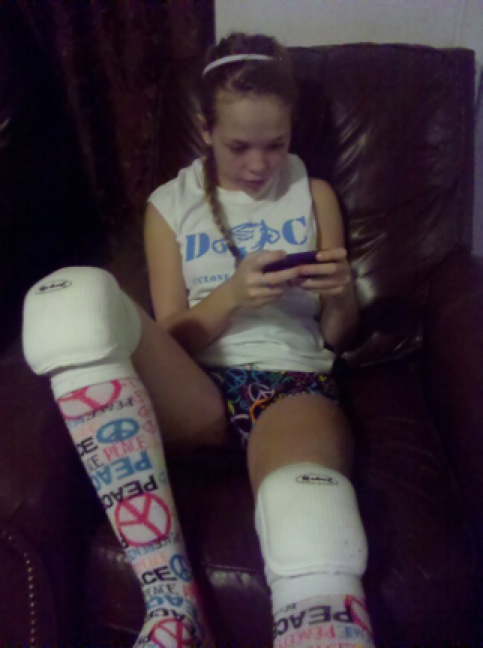
The 6th grade girls practiced their free throws through video in groups of two at the beginning of each practice. The cell phones were put away during the first water break. The remainder of the practice was in large groups. We had our best free throw percentage since I’ve been coaching, which is 13 years.
Below, a motivated volleyball player reviews her serve, which she had a friend video on her cell phone so she could look at it later.
Monday, October 24, 2011
Research Using Flickr in South America
Text Talk: Classroom Stories (Adelina Moura & Ana Amelia Carvalho, Secondary Vocational Class, Portugal)
As part of the Mobile Generation2 project, we planned a teaching and learning experiment to evaluate the influence of mobile learning in students’ engagement in the activity. Students used their Mobile Phone and Mobile Flickr service. It was a field study regarding the Baroque, to be carried out using the phone, and was inserted into the curriculum development activities. Braga, in the northern of Portugal, is a Baroque city, so we asked the students, of a vocational class of Carlos Amarante Secondary School, to take some pictures of the different baroque monuments in the city, using their own cell phones, and to send them by email from the phone to the Mobile Flickr Website3. The colleagues who were in the classroom prepare the information for each monument and discuss about the features of this architectural style.
Those students whose mobile phones included a camera and had an email service went outside for data collection. The other pupils waited in the classroom for publication of the pictures on Mobile Flickr. These students, using a laptop connected to the Internet, researched information about the monuments and wrote a text to subtitle each image. Students who did the fieldwork had to send an SMS to their colleagues in the classroom to tell them about work development and to ask if there were any difficulties or requests for clarification. Students who remained in the classroom as they received messages had to give information to the teacher and prepare a response if necessary. It was an interesting collaborative learning experiment through mobile
technologies because all students participated actively and learning became more flexible, extending the teaching and learning process.
As part of the Mobile Generation2 project, we planned a teaching and learning experiment to evaluate the influence of mobile learning in students’ engagement in the activity. Students used their Mobile Phone and Mobile Flickr service. It was a field study regarding the Baroque, to be carried out using the phone, and was inserted into the curriculum development activities. Braga, in the northern of Portugal, is a Baroque city, so we asked the students, of a vocational class of Carlos Amarante Secondary School, to take some pictures of the different baroque monuments in the city, using their own cell phones, and to send them by email from the phone to the Mobile Flickr Website3. The colleagues who were in the classroom prepare the information for each monument and discuss about the features of this architectural style.
Those students whose mobile phones included a camera and had an email service went outside for data collection. The other pupils waited in the classroom for publication of the pictures on Mobile Flickr. These students, using a laptop connected to the Internet, researched information about the monuments and wrote a text to subtitle each image. Students who did the fieldwork had to send an SMS to their colleagues in the classroom to tell them about work development and to ask if there were any difficulties or requests for clarification. Students who remained in the classroom as they received messages had to give information to the teacher and prepare a response if necessary. It was an interesting collaborative learning experiment through mobile
technologies because all students participated actively and learning became more flexible, extending the teaching and learning process.
Friday, October 21, 2011
Success As Simple as a Cell Phone Calendar
It may seem too simple to share, but the amazing results of encouraging and leading students in using the calendar in the cell phones to support them as students make it worth posting. Each week, quarter, or unit beginning can be set up for success for having students put reminders, due dates, and important notes into their cell phone calendars. Including parents takes the support another step further. Collecting interested parents cell phone numbers in the beginning of the year with a free service such as www.wetxt.com, www.swaggle.com, www.groupme.com, an ap in your phone, and then sending a group text of important dates to parents helps everyone stay connected. Especially for events, big tests, projects, and research papers, getting dates into phones makes a difference!
Text Talk: Classroom Stories (Amanda Twamley, Service Club Leader)
It just hit me during one of our Service Club meetings when we were discussing a number of upcoming service activities. I usually put all the dates in my phone. I had all the kids numbers and had texted them reminders, but why, when they all had phones with them. So I asked them all to take out their phones. Their eyes got great big and they were looking at each other wondering if it was really ok. I went through the dates and we all put the new activity dates in our phones together. The activities had the best turn out ever and I didn't even feel like I needed to text reminders. Their phones would remind them for me. Now I see students putting dates in their phones when I give assignment dates in class as well. It works great.
Text Talk: Classroom Stories (Amanda Twamley, Service Club Leader)
It just hit me during one of our Service Club meetings when we were discussing a number of upcoming service activities. I usually put all the dates in my phone. I had all the kids numbers and had texted them reminders, but why, when they all had phones with them. So I asked them all to take out their phones. Their eyes got great big and they were looking at each other wondering if it was really ok. I went through the dates and we all put the new activity dates in our phones together. The activities had the best turn out ever and I didn't even feel like I needed to text reminders. Their phones would remind them for me. Now I see students putting dates in their phones when I give assignment dates in class as well. It works great.
Monday, October 17, 2011
Cell Phones, A Life Line in Hard Economic Times
Those who continue to drag their heels in utilizing the value of cell phones in education and even those of us who embrace them, realize that sometimes not all students have phones. Education never wants to exclude, however, this is not a valid argument against cell phones. It is a fact that must be managed, just like we manage when students loose their text book, forget their pencil, or are not paying attention in class. The value of cell phones for learning far outweighs the need to make sure all students have access to a phone when it enhances the lesson or learning.
According to a recent Marist Poll, 94% of American households have access to a cell phone. Additionally, sharing phones is very common. My students will use their mom's, friend's, or neighbor's phone when theirs is out of minutes, broken, or there isn't money to pay the bill. In fact, having access to a phone seems to be viewed as a basic necessity in most students' minds. At Delta Opportunity School, the students who struggle the most with basic necessities (i.e. food, home, transportation), are those that have a phone and have it for very serious reasons (alarm clock, way to contact potential employers, doctors, etc). Amanda, whose story is below, used her phone as a life line when there was no home, no family, no support. We cannot let the "not all students have phones" argument stop us from utilizing their educational value. Most students do have phones and when there isn't access, there are many opportunities for sharing, collaborating, or even having a couple text enabled pay as you go phones available for less than the cost of a text book. By banning cell phones, we exclude all students from the ability to use their communication method of choice for learning, for connecting globally, and for blending school and life.
Text Talk: Classroom StoriesA poverty stricken student named Amanda knows the importance the cell phone with texting has in her life and education. She is 18 years old and only has 10 credits toward graduation. However, she is bound and determined to earn a high school diploma. Even a GED is not an option. She has great intentions and puts her best efforts into educational endeavors, but her basic needs continue to get in the way. The result of a childhood of abuse, moves, and chaos, Amanda is on her own and has been for years. She has worked many fast food jobs and managed to get a horrible old car. She has no home, but stays with friends so that her pay check can go to insurance, gas, and food. She is a very hard worker. Amanda is very giving and is often set back by helping others. With crisis after crisis resulting from things like a common cold, or a blown car hose, or a need to loan Mom money; Amanda has a difficult time making it to school consistently. Thus, the text messaging is often the only way she keeps connected. For Amanda, the cell phone becomes the only watch, the only alarm clock, the only calendar, the only camera, the only means of communication with the world. Amanda wants to be in school, although she is working two jobs almost full time. One evening she texted me this: “Twxt me tomorrow morning so I can go to school. My phone alarm doesn't work.” By the way, she did use a period and a capital letter in that text, which was surprising even to me. Another time I got this, “my car overheated, i did a chpt to turn in, i go get my moms phone n call u” Whether or not the work was turned in on time, there was better communication and a sense of appreciation for the effort to contact me regarding the work than there would have been without the use of text messaging.
Subscribe to:
Posts (Atom)